Scaling ToolTime's design system
Context
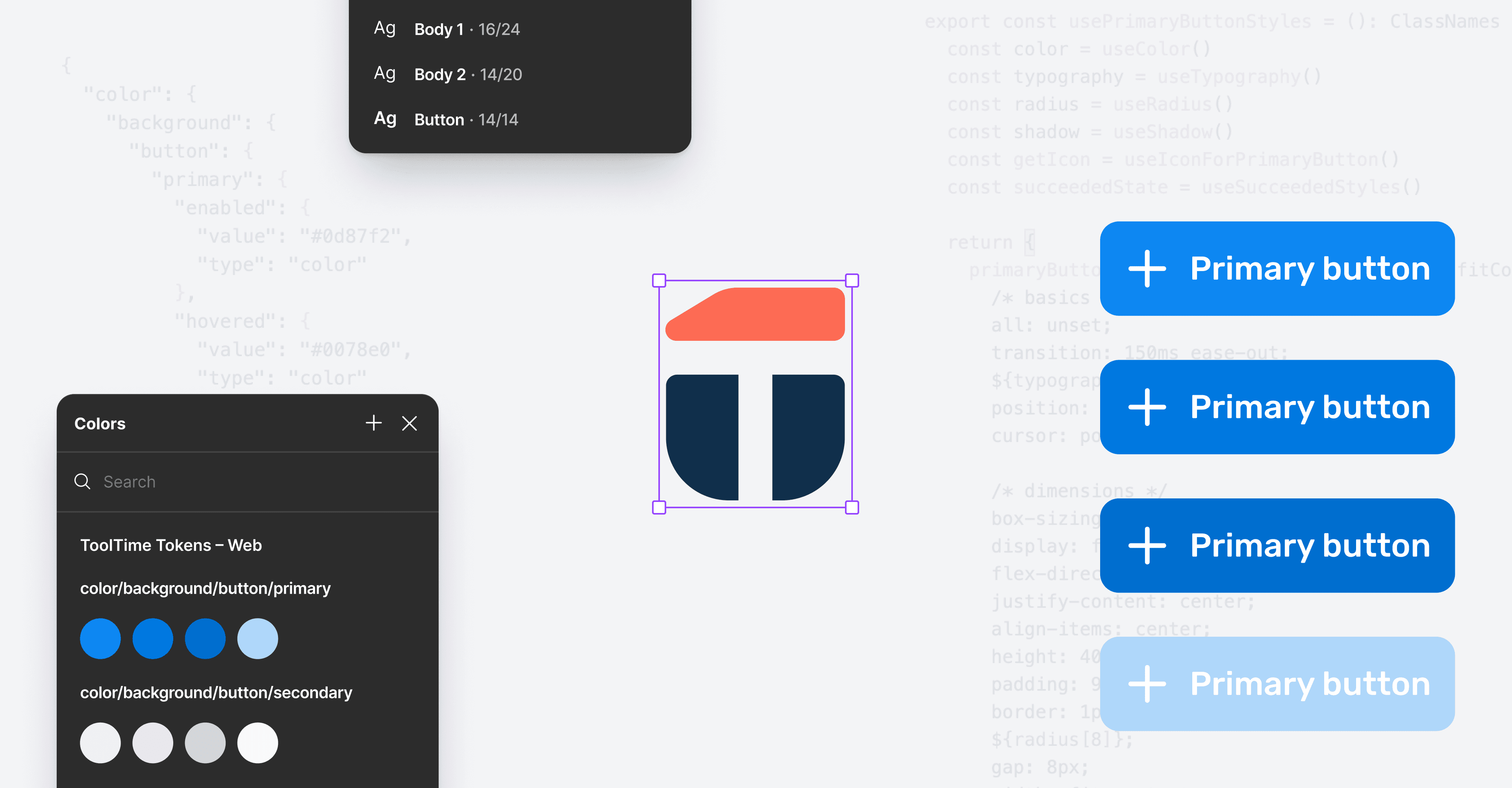
ToolTime’s design system was built on a static color palette and inconsistent naming across design and code. This made it hard to roll out product-wide visual updates, especially branding changes.
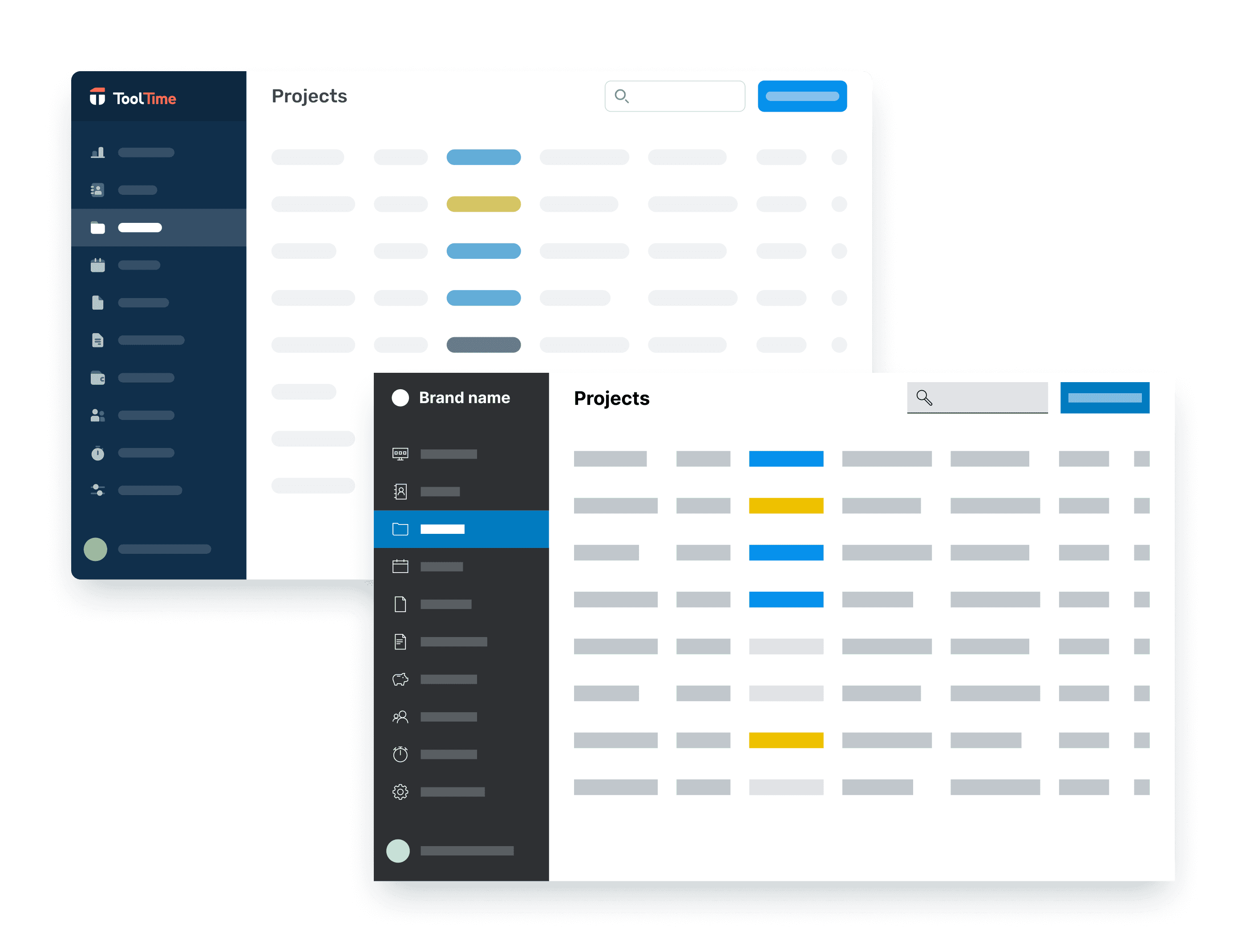
When a white-label partner needed a fully rebranded UI, it exposed the core issue: our system wasn’t built for theming.
My role
Product designer
Time frame
Jun – Dec 2023
Team
- 1 Product manager
- 2 Engineers
- 1 Product designer (me)
Key results
6-figure annual recurring revenue
through a successful white-label launch
Single source of truth
across Figma, web and mobile app
Reduced designer-engineer friction
thanks to a shared, semantic token system
More control over WCAG compliance
component-level tokens let us enforce contrast per context, not just per color
Opportunity
The white-label requirement revealed a critical gap: our design system couldn’t support theming at scale.
I used this as a chance to move to semantic tokens that aligned design and code. This would let us support white-labeling now while building a foundation for future partners and features as well as improving our visual consistency.
Re-architecting the color system
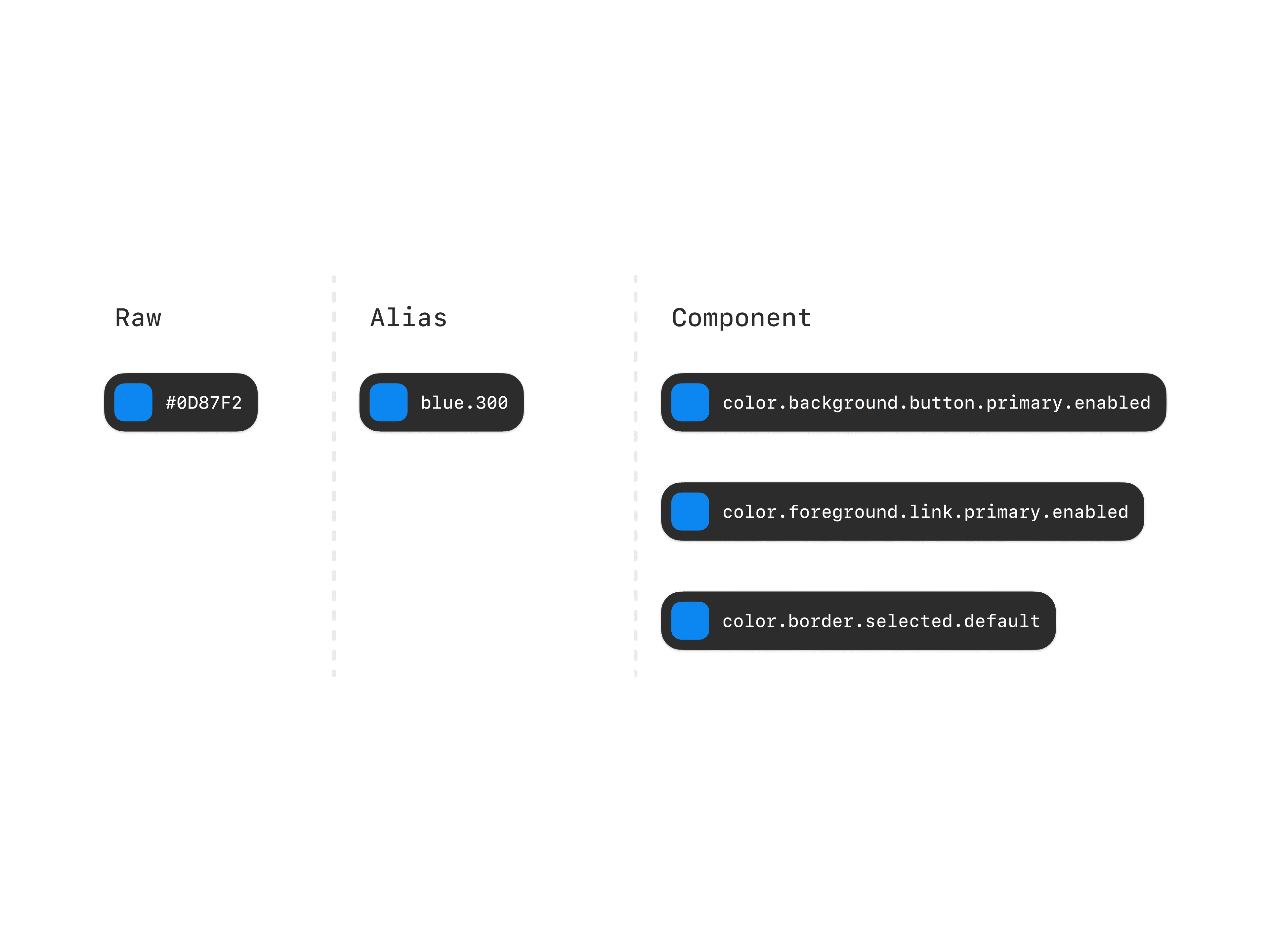
One of the biggest challenges was rethinking how colors were applied. The old system used static palette references: components pointed directly at values like blue-300. That worked for one brand but couldn't scale to two.
I introduced a three-layer token architecture: raw values, palette aliases, and component-level tokens.
Why we went with component tokens
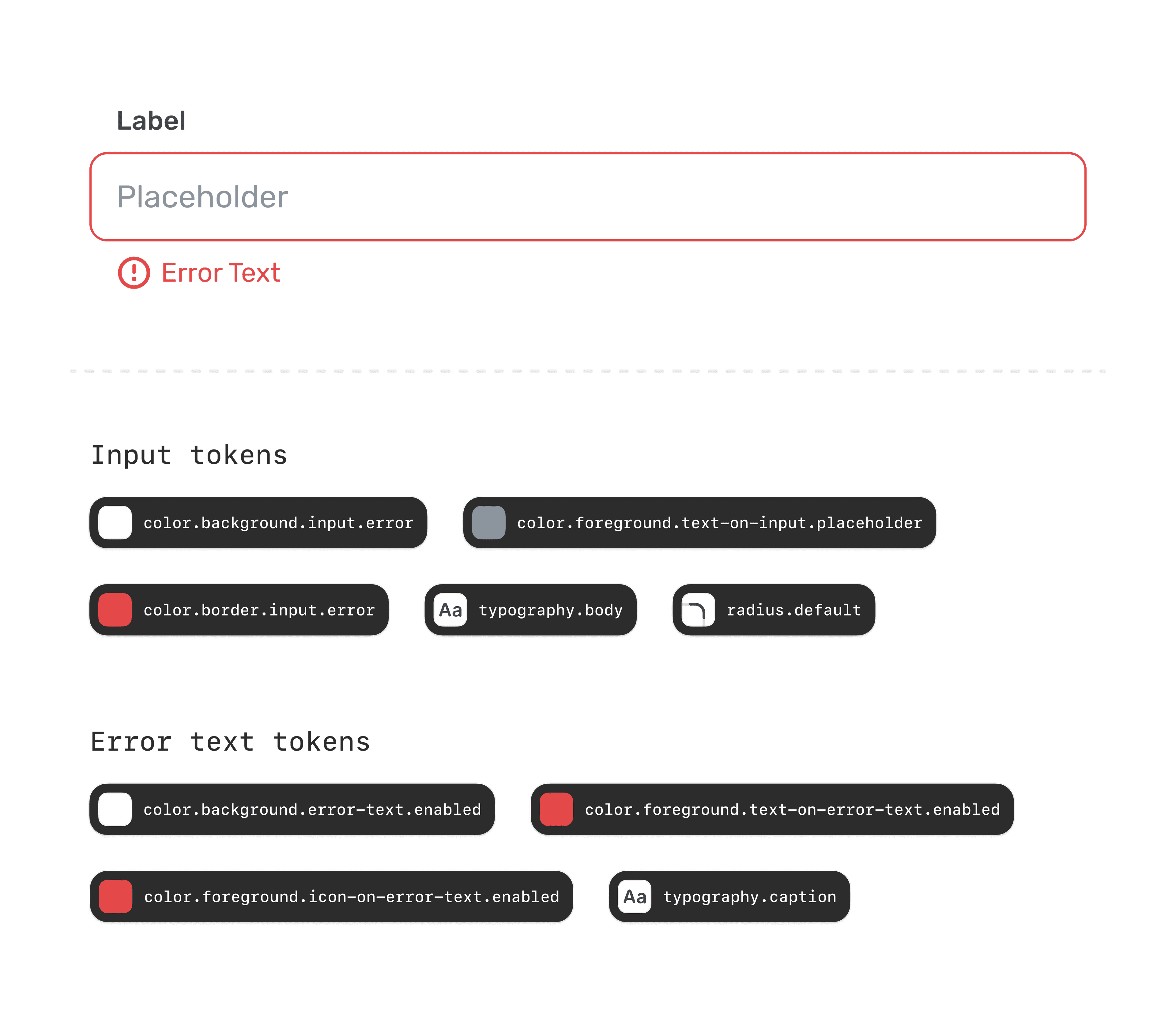
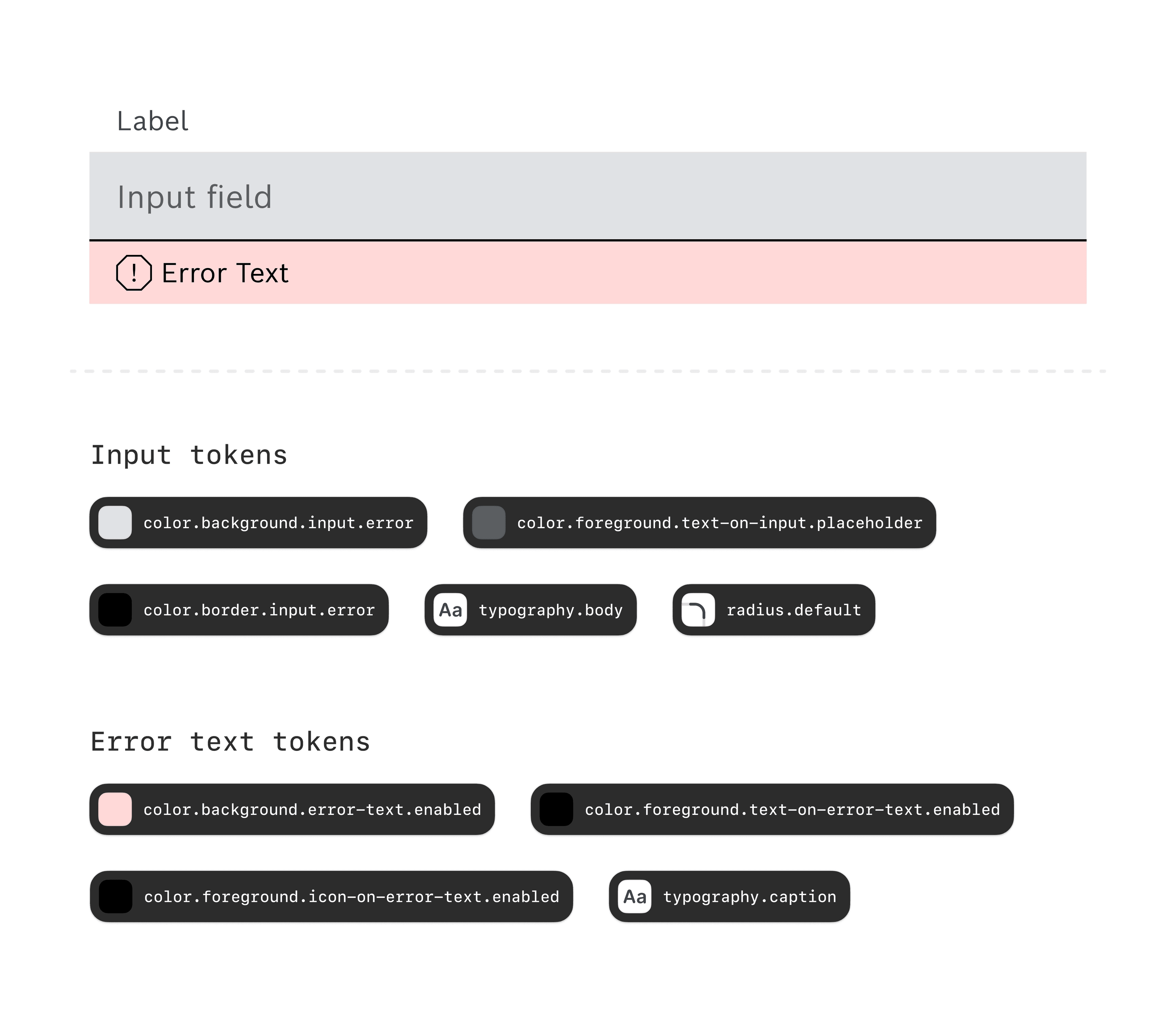
Just using global tokens broke for us at the error state. One brand turns the input border red to signal the error. The other keeps the border neutral and uses a light red background on the error text area instead. Same meaning, a different visual strategy: a single color.feedback.error token can't express both.
That's why component tokens like color.background.error-text.enabled and color.foreground.error-text.enabled exist. They let each brand implement the same state differently, without overrides.
Defining tokens at the component level also means contrast is enforceable in context, not just across the palette.
Designers push tokens, engineers pull packages
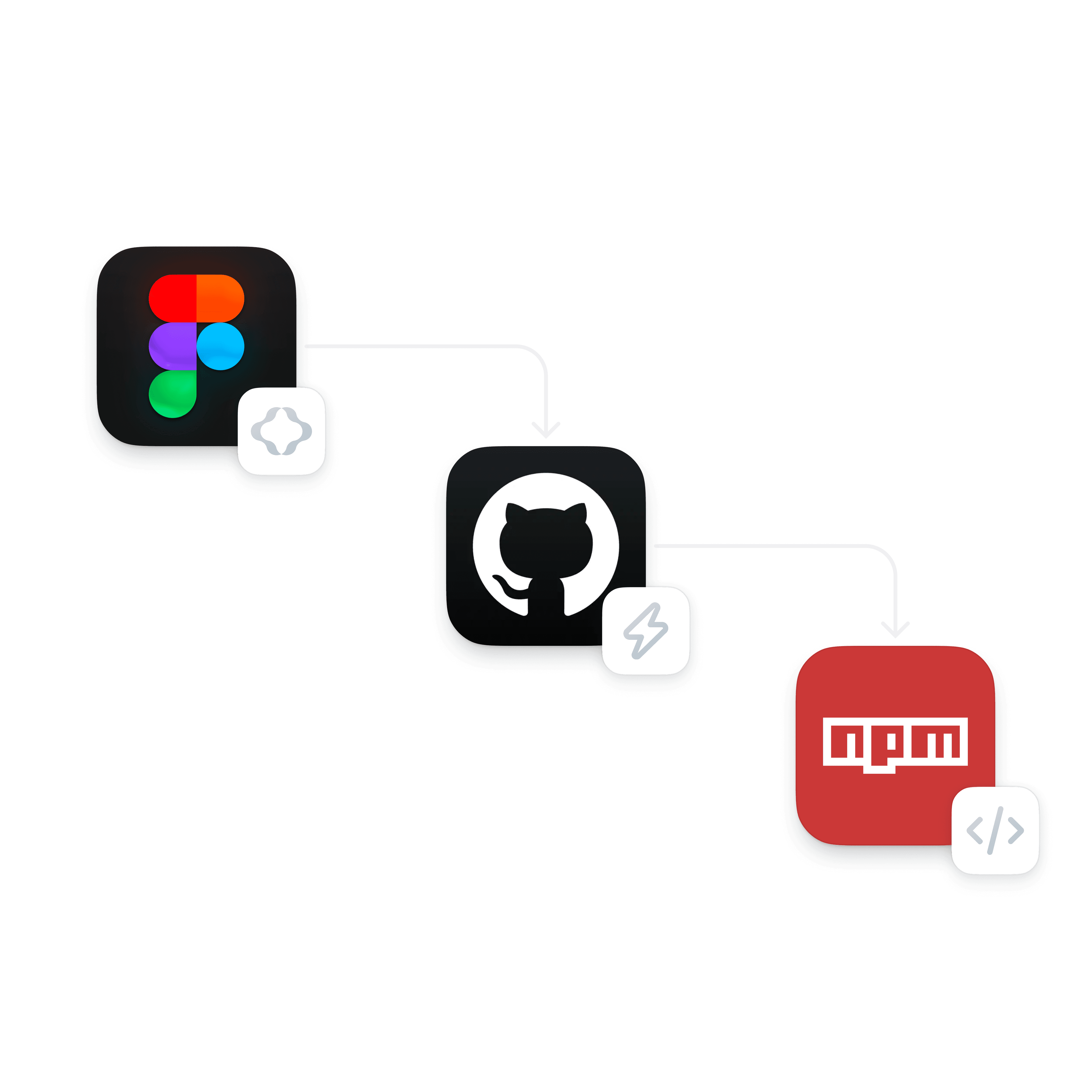
To close the gap between design and development, I proposed using Figma Tokens (now Tokens Studio) because it integrates with GitHub.
After testing the workflow with an engineer, we confirmed:
- Tokens sync safely to GitHub
- Web and React Native app each consume their own npm package
- Each platform has a dedicated Figma library
- Designers own the full workflow
Figma launched Variables while we were mid-rollout. We looked at switching, but the GitHub sync and npm pipeline were already working.
Built tooling so the team would actually use it
Rolling out a new system is only half the job. Adoption is the other half. I built tooling and wrote documentation to make sure the system actually got used.
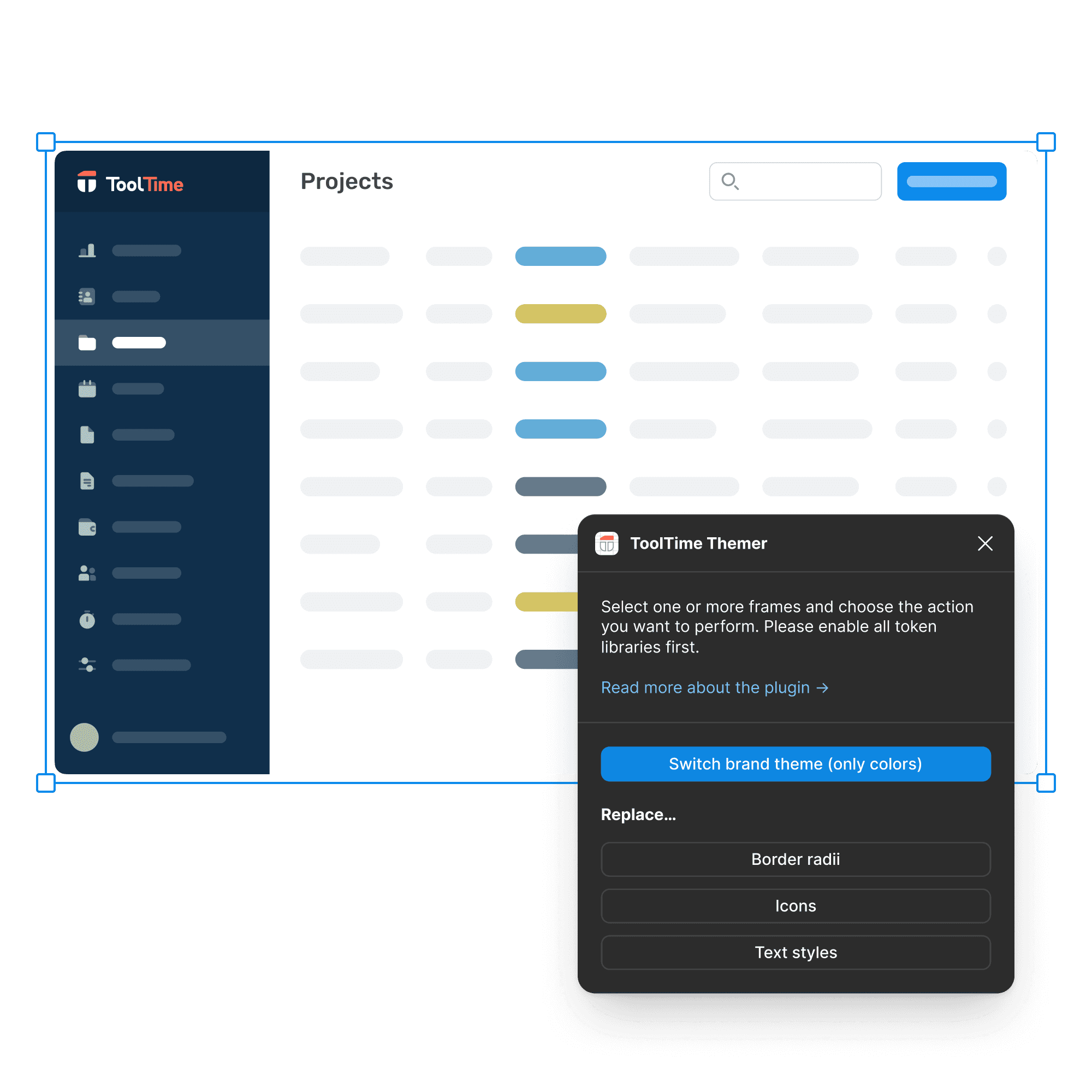
Built a Figma plugin
To bridge the gap while tokens were still being implemented. Designers could work with the new system before it was live.
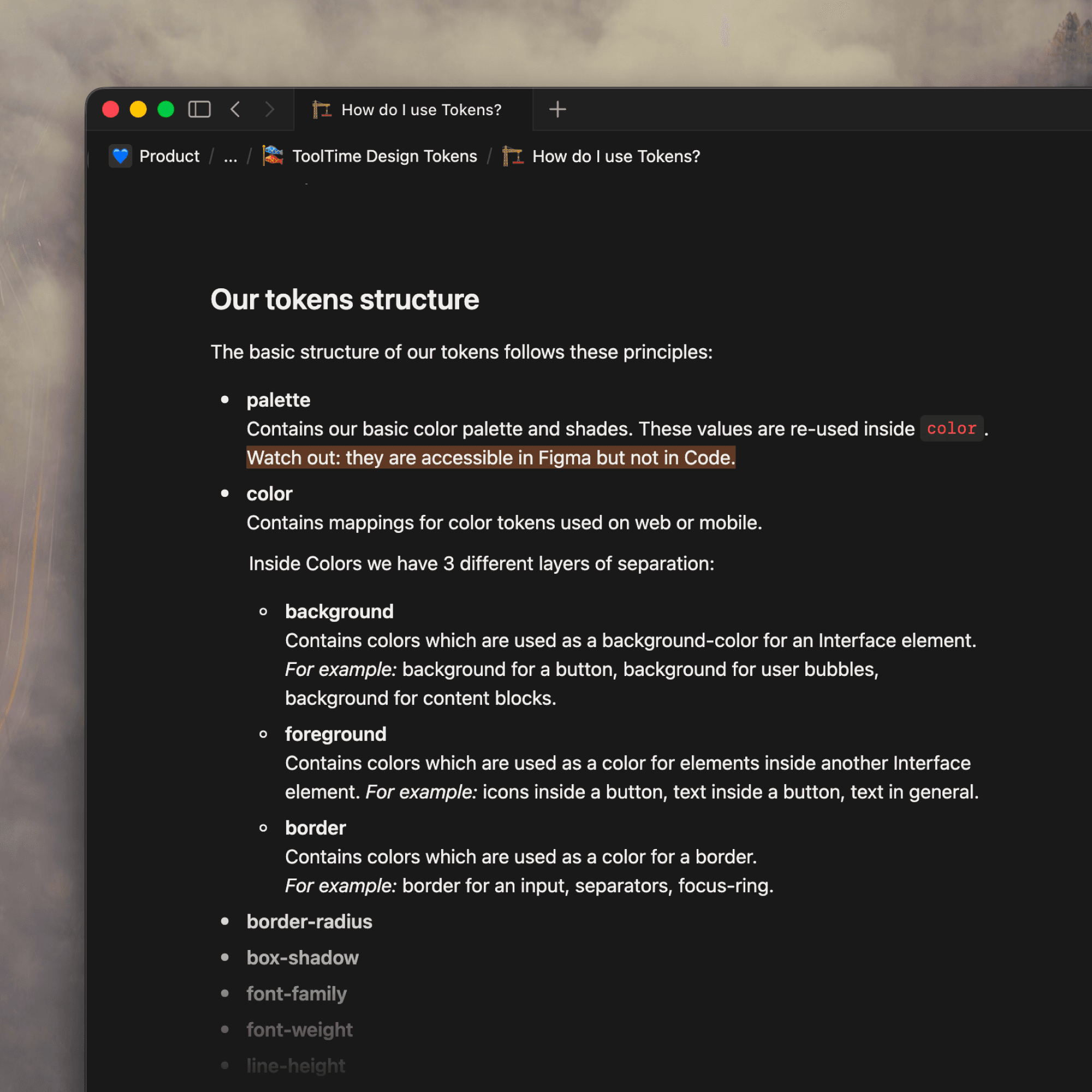
Wrote documentation
To help designers and engineers understand how to use tokens.
Hands-on with frontend, not just handoff
I worked directly in the codebase with engineers, helping apply tokens to components. With ~300 commits, I'm the top contributor to the design system repository. Bridging design decisions and code was the fastest way to keep the system consistent. It also showed me exactly where the system needed refining in ways Figma alone never would.
Reflection
I used to think naming tokens would be the hardest part. Turns out, the real challenge was making the system easy enough that everyone actually wanted to use it.
This project taught me that successful design systems aren’t just about structure: they’re about adoption. The best solution wasn’t the most technical one, but the one both designers and engineers could understand, trust and maintain together.
It pushed me to think beyond Figma files and into workflows, habits and team dynamics. That's what made it work.